Autologin
This guide explains how to implement automatic login functionality in your Unreal Engine game using the Autologin node provided by the EOSCore plugin. The node handles authentication parameters for standalone instances, enabling seamless login without manual user input.
Prerequisites
- EOSCore Lite plugin installed and enabled in your Unreal Engine project.
- Unreal Engine 5.6 (additional versions may be supported as the plugin develops).
- An Epic Online Services (EOS) developer account with a configured Product ID and Client Credentials.
- A configured
DefaultEngine.inifile with EOS settings (refer to EOSCore Setup Documentation).
Using the Autologin Node
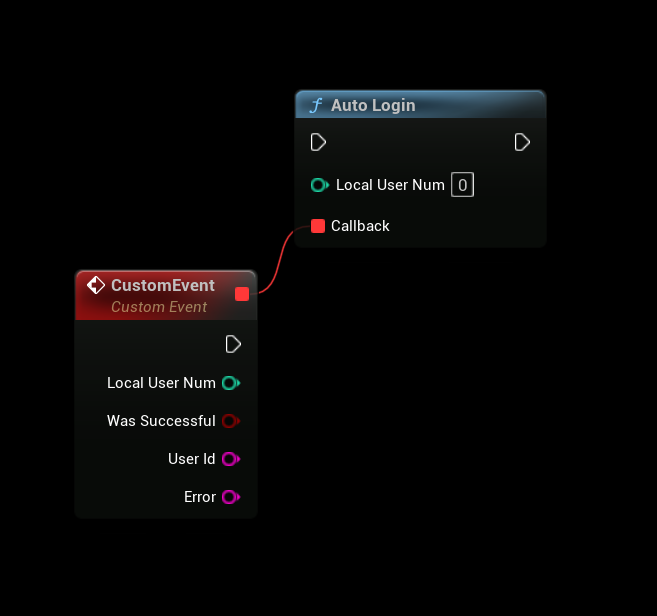
The Autologin node simplifies authentication by processing launch parameters passed to a standalone instance of your game. This enables automatic login using methods like accountportal or persistentauth.
Steps
-
Add the Autologin Node:
- In your game logic (e.g., Game Instance or Player Controller Blueprint), add the Autologin node.
- Execute the node during game initialization to attempt automatic authentication.
-
Configure Launch Parameters:
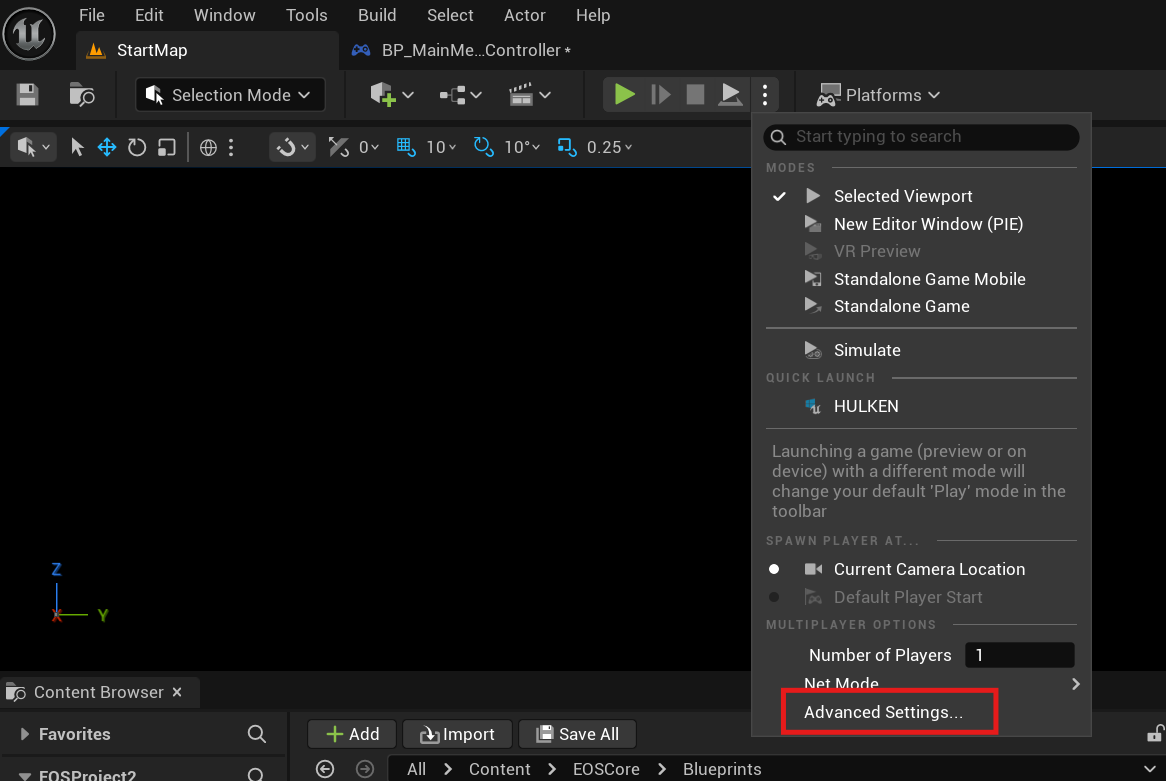
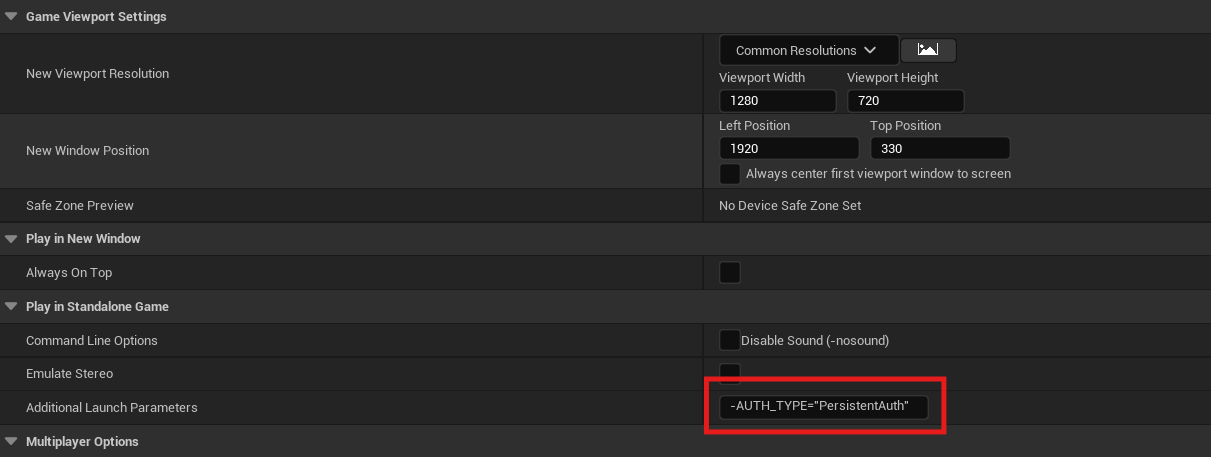
- Open Project Settings > Advanced Settings > Additional Launch Parameters.
- Add authentication parameters, such as:
-AUTH_TYPE="accountportal"
-AUTH_TYPE="persistentauth"
-
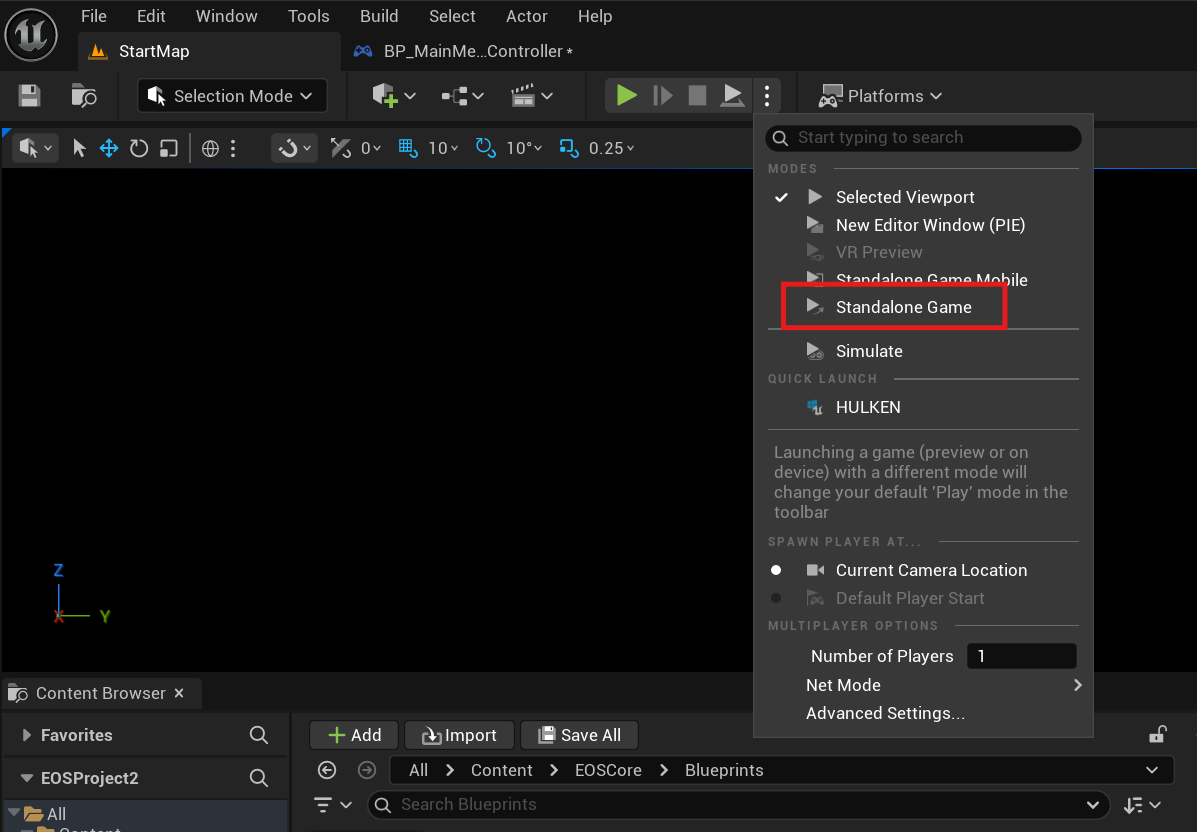
Launch a Standalone Instance:
- Run the game as a Standalone Instance from the Unreal Editor (Play-in-Editor, or PIE, does not support launch parameters).
- Alternatively, package the project and pass parameters via a shortcut or command line.
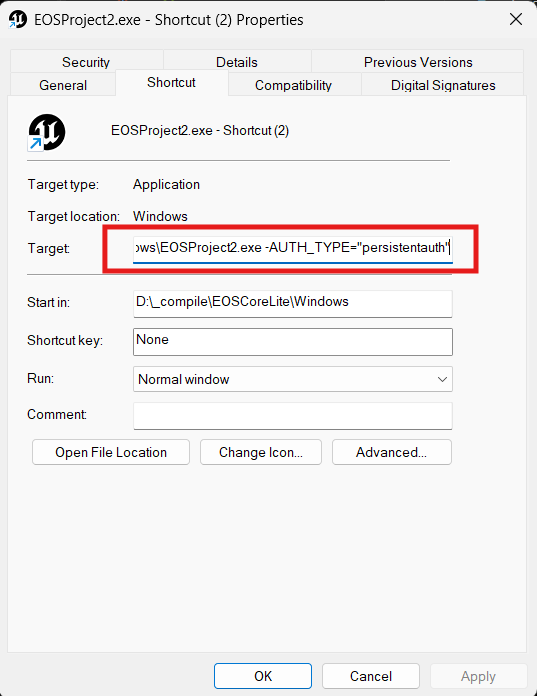
Persistent Authentication Notes
- The
persistentauthmethod requires a prior successful login viaaccountportalto store credentials. - Ensure players have logged in at least once using
accountportalbefore relying onpersistentauth.
Example Workflow
- Add the Autologin node to your Game Instance Blueprint’s
Initevent. - Configure
DefaultEngine.iniwith your EOS Product ID and Client Credentials. - Set the launch parameter
-AUTH_TYPE="accountportal"in Project Settings for testing. - Launch a standalone instance to test automatic login.
- After a successful
accountportallogin, switch to-AUTH_TYPE="persistentauth"for subsequent logins.
Notes
- Standalone Requirement: The Autologin node only works in standalone instances or packaged builds. Play-in-Editor (PIE) does not support launch parameters.
- Testing: Test in a standalone instance to verify authentication behavior. Use Sandbox Mode in your EOS Developer Portal for safe testing.